
QuoteIQ AI Estimating & Scheduling for Electrical Contractors
The search phrase “quoteiq ai estimating scheduling electrical contractors” is really three questions: can the AI price electrical work, can the calendar keep a crew straight, and which plan does that without paying for things you won't use. We followed one EV-charger job through QuoteIQ to answer all three.
Heads up: we're an independent QuoteIQ affiliate. If you start a subscription through our links we earn a commission, at no extra cost to you. We're not affiliated with QuoteIQ. How this site works.
QuoteIQ is a sensible pick for electrical shops of one to ten people that win work on quote speed: residential service, panel swaps, EV chargers, generators. The AI Estimator gives you a fast first draft and Options estimates make tiered pricing easy. What it won't do is the electrical engineering: no built-in load calcs, code checks or permit tracking. Budget for Pro ($199.99/mo) once you dispatch other electricians.
Start your 14-day free trial →
Our affiliate link; you pay the normal price. 14-day trial; QuoteIQ asks for a card to start.
What QuoteIQ says it does for electricians
QuoteIQ runs two electrician pages. The older one is a generic template; the newer electrical contractor page (published April 2026, updated October 2026) is the one to read. It pitches AI Estimator line items drafted from photos, the Virtual Call Team for answering, job costing, EmployeeHub GPS, QuoteIQ Cam that "documents every panel" and consumer financing for "$2,000+ upgrades". It also cites BLS job-growth figures and the National Electrical Code (NFPA 70).
Its EV charger installation page goes further, describing four quote tiers (simple installs at $500–$800, medium at $800–$1,500, long runs at $1,500–$3,000+ and panel upgrades at $500–$5,000), NEC Article 625 scope documentation, IRS Form 8911 tax-credit paperwork, load-calculation worksheets and permit fees of $50–$300. Those ranges are QuoteIQ's marketing examples, not your market's prices, and we couldn't confirm that each one ships as a ready-made template inside the app. Assume you'll build your own versions in the price book.
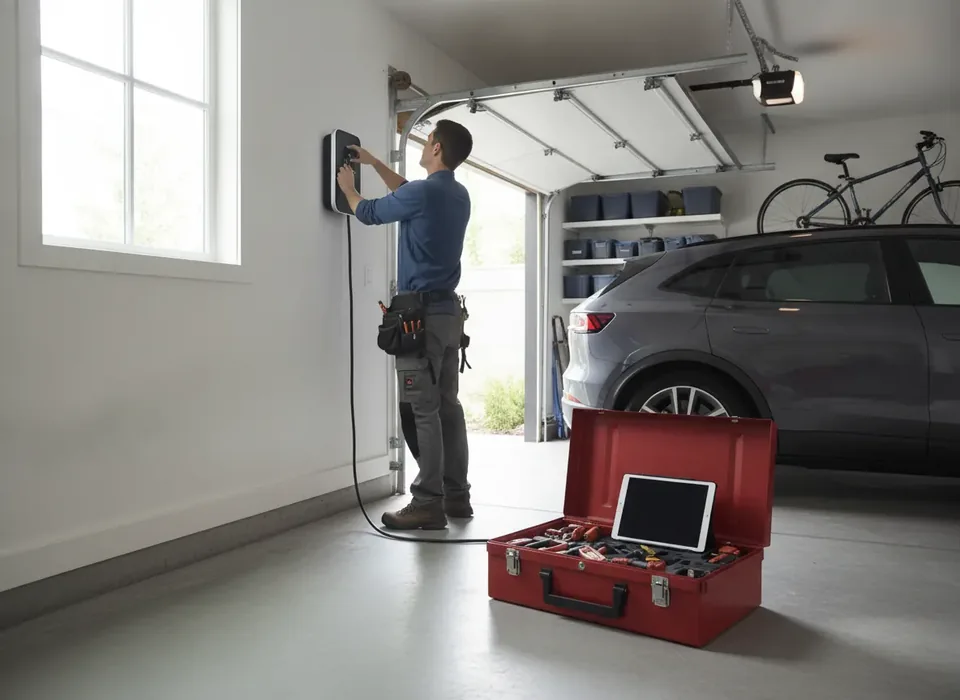
One job, start to finish: a Level 2 charger in a garage
1. The call comes in
A homeowner rings while you're in an attic. On any plan, the Virtual Call Team can pick up, qualify the caller from a knowledge base you write (service area, typical charger prices, lead times) and save them as a contact with a transcript. It costs 125 IQ Credits a minute, so a three-minute intake call is 375 credits, most of Essentials' 500. If you'd rather call back yourself, ClientHub on Pro gives you a business number with calling and texting that QuoteIQ says carries no per-minute charges.
2. The site visit
On Beginner and up, QuoteIQ Cam files photos by customer and job: the existing panel and its label, the free breaker spaces, the wall where the charger will hang and the route to it. Inspection forms in Cam let you capture the same checklist every time (main breaker size, panel brand, distance, garage finish). That record does double duty later, for the permit and for any dispute.
3. Drafting the estimate with AI
Open the AI Estimator, describe the install ("48-amp Level 2 charger, 200-amp panel, 35-foot run through finished drywall") and attach up to five photos. The AI asks five follow-up questions, then returns line items marked High or Medium confidence, plus suggested add-ons. QuoteIQ's own figure is a quote cut from 20–34 minutes to 4–7; we'd say it's quickest on jobs you don't already have saved. It costs about 5–15 credits. Then do the part the AI can't: check the load against the panel, pick conductor and breaker sizes, and confirm what your jurisdiction requires. QuoteIQ itself cautions that the AI can't account for site conditions nobody gave it, and on electrical work that caution carries real weight.
4. Turning it into a choice
Convert the draft into an Options estimate so the customer picks a tier: charger only on an existing circuit, a new dedicated circuit with the long run, or the same plus a panel upgrade. Add the permit as its own line so it's never absorbed into labor. Require a deposit on the larger tiers. If the job is a $2,000-plus panel upgrade, consumer financing (Affirm, Klarna and Afterpay through checkout, on every plan) lets the homeowner spread the cost while you're paid upfront minus the provider's fee.
5. Signature and paperwork
The customer signs the estimate on their phone; edit it after sending and the old signature is voided. On Beginner and up you can attach contract documents, and on Pro, QuoteIQ Sign can send other documents for signature. Keep the photos, the signed scope and the final invoice together; that's the documentation customers often need for the federal charger credit, and the reason QuoteIQ mentions Form 8911.
Scheduling the work, the permit and the inspection
An EV job usually means at least two calendar entries: the install and the inspection, sometimes a return visit for the utility or a final walkthrough. The QuoteIQ scheduling calendar handles that with day, week and month views, conflict warnings, "Schedule Later" for jobs waiting on a permit, drag-to-reschedule with a five-second undo and a weather forecast on the calendar. Where you sit in the tiers decides how much of it the team can use:
| Scheduling feature | Lowest plan |
|---|---|
| Calendar (day, week, month), conflicts, recurring visits, job map, weather | Essentials |
| Two-way Google Calendar sync (credits per event) | Beginner |
| Assign jobs to team members; On The Way texts | Pro |
| Route optimization; InstaSchedule self-booking; GPS while clocked in | Elite |
| Crews | Max |
For a shop dispatching other electricians, Pro is the realistic floor, because Essentials and Beginner can't assign jobs to individual team members. Route optimization helps a service-call-heavy shop more than an install-heavy one. GPS is phone-based; QuoteIQ says plainly it can't track the vehicle itself. See our scheduling and dispatch review and route optimization page for more.
After the job: invoice, costs and margin
Converting the signed estimate to an invoice carries every line over, and the payment link goes by text or email for card, ACH, Apple Pay or Google Pay. Payment processing fees are separate from the plan and aren't published, so ask before relying on card payments for big panel jobs. On Pro, job costing shows price minus labor minus expenses per job, which is how you find out whether long-run chargers really earn more than simple ones. On Elite, inventory tracks wire, breakers and devices per truck with reorder points and purchase orders. QuickBooks Online sync starts on Pro; Desktop isn't supported.
Picking a plan by shop size
| Shop | Plan to trial | Price / users | What tips it |
|---|---|---|---|
| Owner-operator, service calls and small installs | Essentials | $29.99 / 1 | AI Estimator, price book, financing, online payments, AI receptionist |
| Owner plus apprentice | Beginner | $99.99 / 2 | QuoteIQ Cam panel photos, inspections, Google Calendar sync, expenses |
| 3–4 electricians with a bookkeeper | Pro | $199.99 / 4 | QuickBooks Online, job costing, job assignment, on-the-way texts, client portal |
| 5–10 people, stock on trucks | Elite | $299.99 / 10 | Inventory by truck, GPS time tracking, routing, online booking, roles |
| Multiple crews or brands | Max | $699.99 / 20 | Crews, sales tracker, 4 extra businesses, account manager |
Extra users are $25 a month each on every plan. Our QuoteIQ pricing guide covers the full matrix, and QuoteIQ for electricians covers trade fit beyond estimating and scheduling.
Where QuoteIQ falls short for electrical contractors
- Fast AI first drafts for unfamiliar jobs
- Options and Package estimates for tiered work
- Financing and deposits on every plan
- Panel photos and inspection forms from Beginner
- Published prices with no contract
- No built-in load calcs, code checks or permit tracking
- Job costing and QuickBooks need Pro
- Inventory and routing need Elite
- No payroll; phone GPS only; English only
- AI phone answering adds usage costs
The biggest structural gap is for larger commercial electrical contractors: QuoteIQ's own ServiceTitan comparison concedes there's no large-team dispatch board and no service agreements tied to equipment. Our QuoteIQ vs ServiceTitan comparison covers where that line falls. Residential shops under ten people rarely hit it.
How to test it in 14 days
Trial the plan you'd actually buy, since changing plans mid-trial ends the trial and bills you. Save your ten most common services first. Then run three real jobs through the AI Estimator, including one EV charger and one service call, and compare the drafts with what you'd have quoted. Schedule an install and its inspection, invoice one job, and see whether QuickBooks or job costing (if on Pro) give you what your bookkeeper needs. The trial includes 250 IQ Credits, which is plenty for estimates and about two minutes of AI calls; our IQ Credits guide explains the rest.
Our affiliate link; you pay the normal price. 14-day trial; QuoteIQ asks for a card to start.
QuoteIQ AI estimating and scheduling for electrical contractors: FAQ
Does QuoteIQ AI estimating work for electrical contractors?
Yes, in the sense that the AI Estimator is on every plan and works for any trade. You describe the electrical job or attach up to five photos, answer five follow-up questions, and it drafts line items with a confidence score on each. It doesn't run load calculations or apply code for you; those stay your call before the estimate goes out.
Is QuoteIQ scheduling good enough for an electrical crew?
For a small crew, yes. The calendar handles day, week and month views, conflict warnings, recurring visits and drag-to-reschedule on every plan. The catch is tiering: assigning jobs to individual electricians and on-the-way texts start at Pro, route optimization and customer self-booking at Elite, and crew assignment at Max. Larger dispatch boards are where ServiceTitan still leads.
Which QuoteIQ plan should an electrical contractor choose?
A solo electrician can start on Essentials at $29.99 a month. A shop that wants QuickBooks Online sync, job costing and job assignment to techs needs Pro at $199.99 for four users. Elite at $299.99 adds truck inventory, GPS time tracking and online booking for up to ten users. Extra users are $25 each on any plan.
Can QuoteIQ estimate EV charger installations?
QuoteIQ's EV-charger industry page describes tiered quotes (simple, medium, long run and panel upgrade) with price ranges, scope documentation referencing NEC Article 625, IRS Form 8911 paperwork and permit lines. Treat those as vendor examples; we couldn't verify ready-made in-app templates. You can build the same tiers yourself as an Options estimate using saved price-book services.
Does QuoteIQ AI estimating know the NEC or local permit rules?
No. QuoteIQ's electrical page cites the NEC, but the AI Estimator only knows what you tell it, and the vendor itself warns it has no knowledge of site conditions you haven't supplied. Code compliance, load calculations, permit fees and inspection requirements remain the licensed electrician's responsibility. Use the AI draft as a checklist, not an engineering answer.
Does QuoteIQ integrate with QuickBooks for electrical contractors?
QuickBooks Online only, starting on the Pro plan. Invoices, payments, customers, products and services, sales tax and convenience fees sync from QuoteIQ to QuickBooks automatically. QuickBooks Desktop isn't supported, which matters for older electrical shops whose bookkeeper still runs Desktop. Xero isn't listed on any QuoteIQ page we checked.
Try QuoteIQ free for 14 days
Plans start at $29.99/mo for one user. Start the trial through our link — same price for you, and it supports this site.